Luminart product
CabinetOS
Modern System Commander
An approachable, high-performance file manager for Windows 11. The dual-pane efficiency of Total Commander, with the workspace ideas of VS Code: a command palette, chord keys, an integrated terminal and sandboxed plugins.
First release. Not code-signed yet, so Windows SmartScreen asks once before the first start.

Screenshot
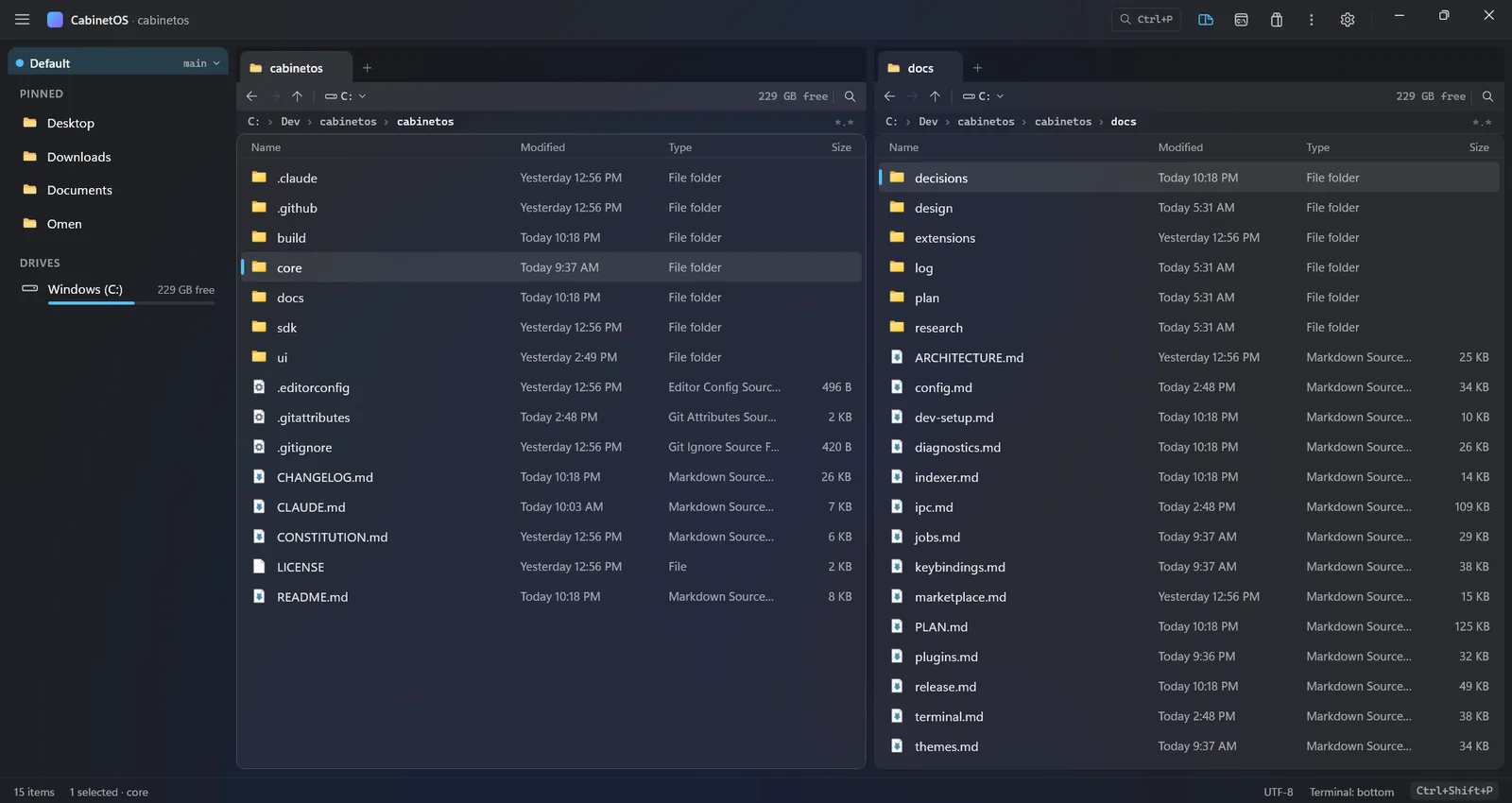
More views
-
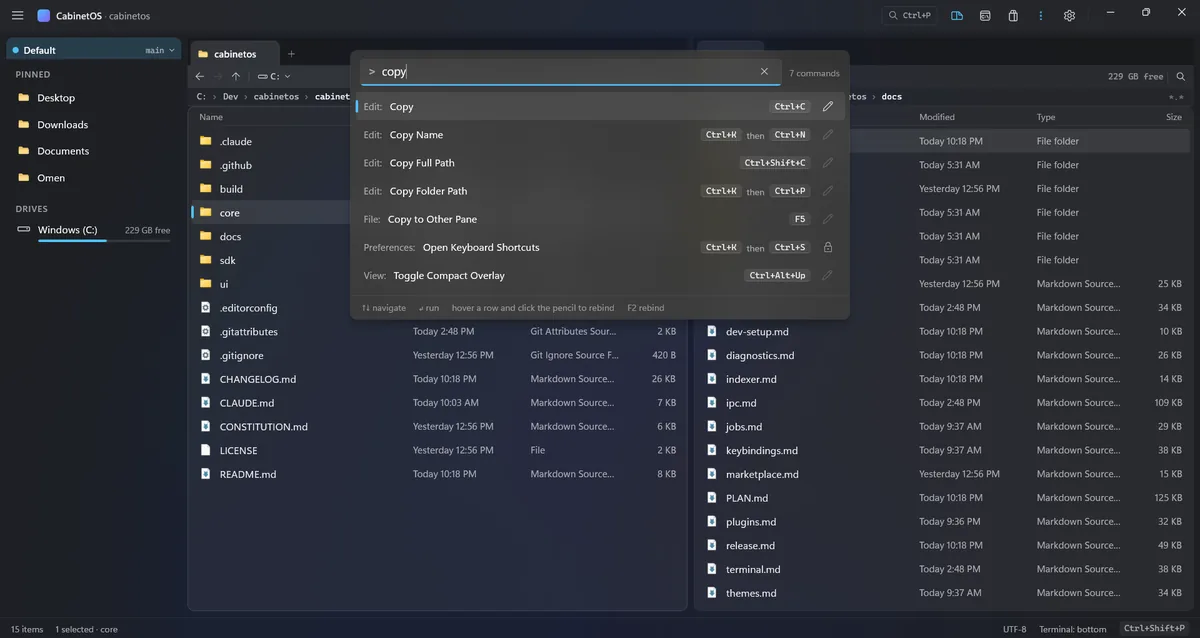
Command palette, with chord keys -
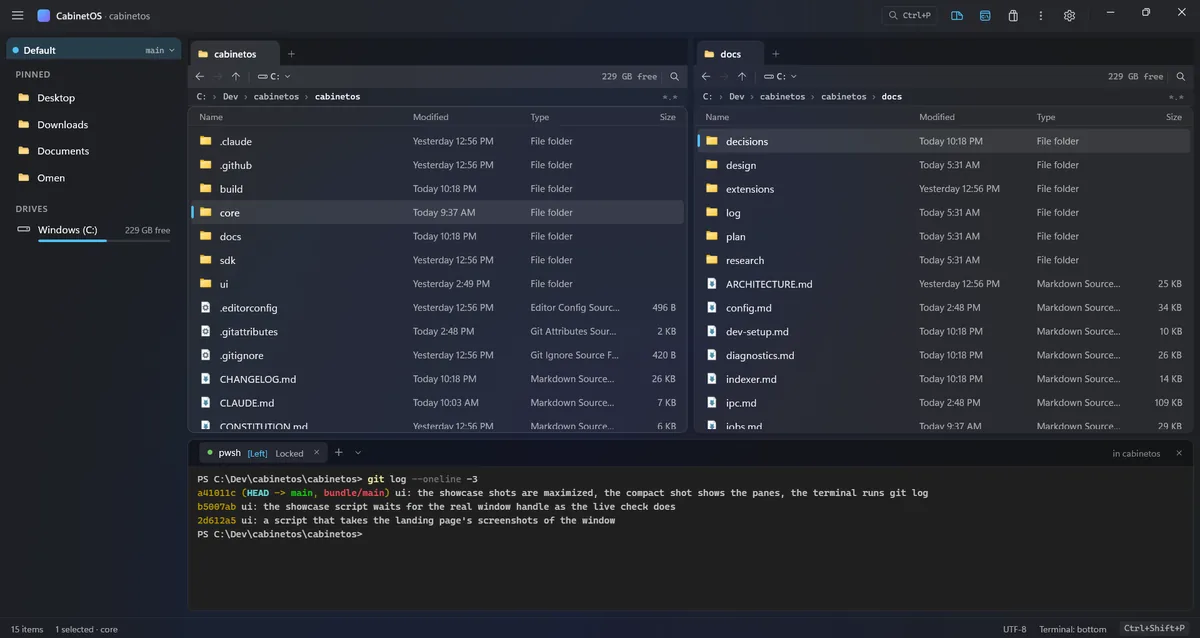
Terminal in a dock, linked to a pane -
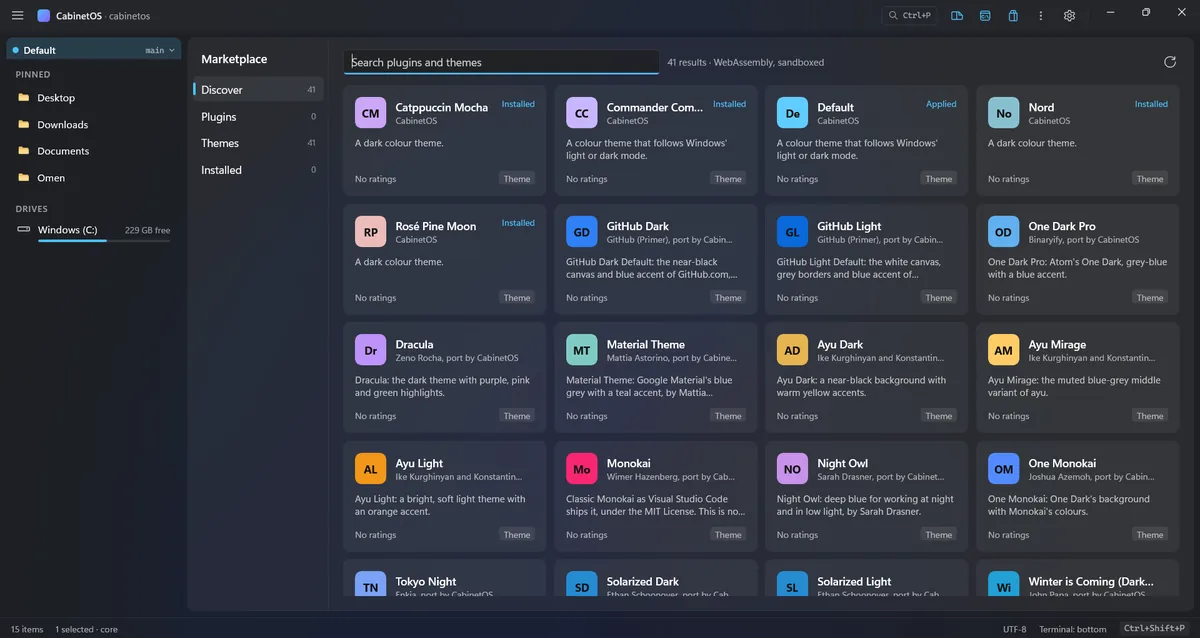
Marketplace: themes and plugins -
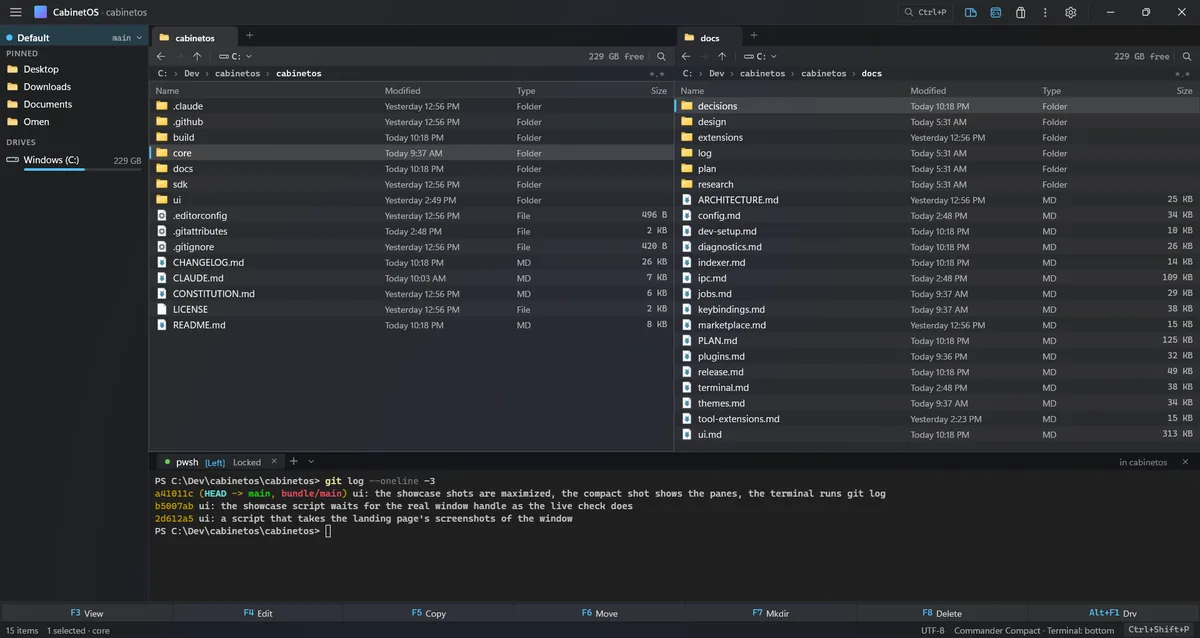
Commander Compact theme
What works in 0.1.0
-
Two panes, tabs, columns
Two file panes with tabs, breadcrumbs, pinned folders and the drives. A column view like Finder's. Listings of 100,000 entries in about 50 ms.
-
Queues with undo
Copy, move, delete and rename run on per-disk queues. A conflict never stops the rest of a job, and there is undo.
-
Search a whole volume
Search by name across whole NTFS volumes through an optional indexer, or by walking the folders without it.
-
Everything is a command
Every action is a named command with a shortcut, reachable from a command palette, with chord keys. The mouse is optional.
-
A terminal in a dock
PowerShell, Command Prompt or WSL, each linked to a file pane and following it.
-
Themes and one settings file
Colour themes in JSON and one settings file, cabinetos.json, both applied live.
-
Plugins in a sandbox
WebAssembly plugins with capabilities, and Tool Extensions in dockable panes, installed from a marketplace. Every download is checked by its SHA-256.
-
Light on the system
A Rust core does the work; the window only draws pixels and reads listings from shared memory. A setup file, and updates that install themselves.
Not there yet
0.1.0 is an early release. Still missing: code signing (so Windows SmartScreen asks before the first start), a graphical settings view, ARM64, and a winget package.
What each version adds →